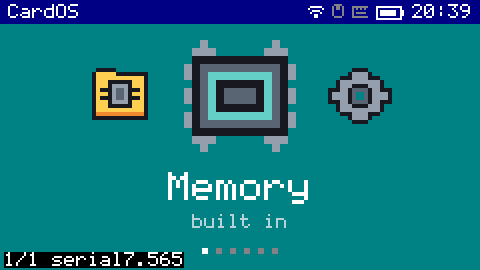
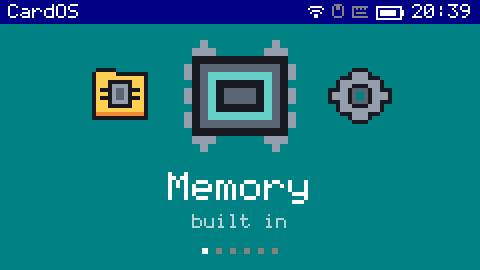
This is the M5Stack Cardputer. It is a tiny computer running on an ESP32, with a keyboard, microphone, speaker, bluetooth and wifi. I wanted to have a mini operating system on it to do all sorts of stuff.
It has a browser
The device has no HTML parser and no layout engine and never will; there is no room. So I cheated in a way I am proud of. A little server on my PC drives headless Chrome at a 240-pixel viewport, re-typesets the whole page in CardOS's own 6×8 pixel font — I had the console's font table built into a TTF so Chrome could use it — and streams the result down as compressed rows. Text lands exactly on the pixel grid with nothing to antialias. The device decodes one row at a time and never holds more than 480 bytes of the page.
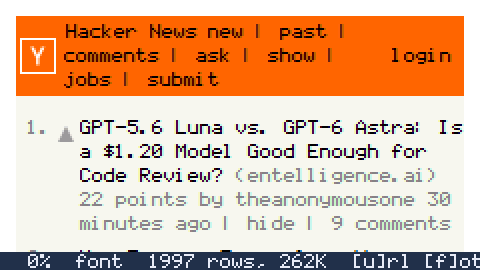
The first attempt rendered the page wide and scaled it down, which is what everyone does, and it turned body text into grey mush. The font was the fix, and it is the thing I would show someone first.
It talks to Claude, and Claude talks back by changing it
One of the apps is a terminal. What you type on the device goes to the PC, where Claude Code is running inside the CardOS repository with permission to edit it. So you can pick the thing up, type "make the pinball flippers longer", and the source changes on the PC. Then you type /update and the new pinball arrives over WiFi. The device asks for itself to be changed and then becomes the changed thing.
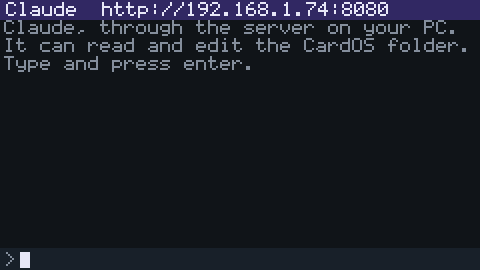
And you can say it instead of typing it. There is a button on the top edge; hold it and talk, and whisper.cpp on the PC turns it into words. I had one idea here that I think is genuinely neat: the words come back as keystrokes. They go down exactly the same path as the keyboard, so every app that can be typed into can be spoken into, and none of them know. If you start the sentence with "Carlos" it is a command instead — "Carlos, open pinball", "Carlos, screen brighter" — and a second Claude session with a fixed prompt turns it into one of seven verbs that the OS checks before it does anything. Seven verbs an LLM can pick from is a feature. A string an LLM hands the device to run is not.
It has three shells and they are all the same thing
A fullscreen launcher for when you're holding it, a desktop with windows and a taskbar for when you've paired a Bluetooth mouse, and a console for when you're building it. Three keys switch between them from anywhere. They are one list — the contents of /desktop on the SD card — shown three ways, so a folder on the card is a folder in all of them and a hotkey bound in one is bound everywhere.
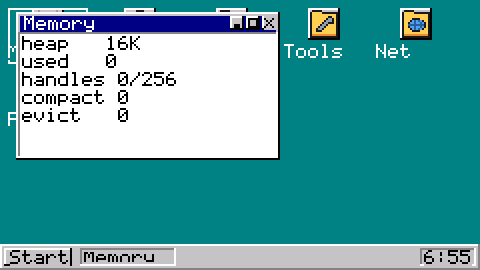
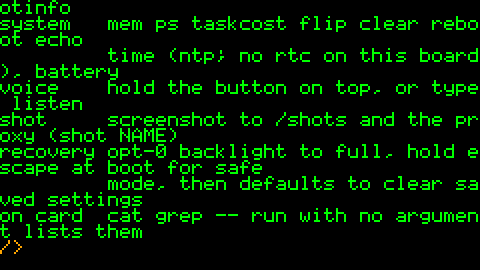
grep TODO /desktop finds grep.capp on PATH and runs it. Pipes, redirects, tab completion, an env.Apps are real programs
Every app is an ELF binary on the card, linked complete and relocated when it loads — real Xtensa machine code, not a scripting language. Each one carries its own name, its own 16×16 icon, and a declaration of what it needs: WiFi, the PC, or nothing. The launcher learns what an app is called by reading that descriptor, not by running it. And the OS joins WiFi before an app that wants it starts, so the twenty seconds of associating belong to "starting Web" rather than to "Web is broken". Mines runs on a device that has never seen a network.
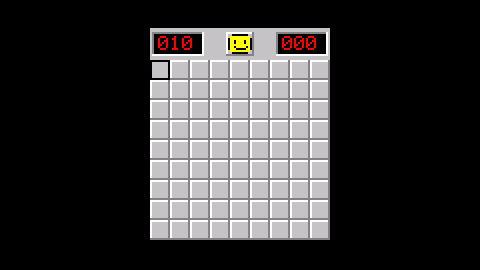
; , . /, which the OS promotes to arrows whenever an app isn't asking for text.The plan, and the part I'm building next, is that apps get written in a language of their own and compiled on the device to native code. The IDE is already there: an assembler, a small VM that defines what a program means, a native backend that compiles the same program to real Xtensa instructions, and one keystroke that runs both and checks they agree.
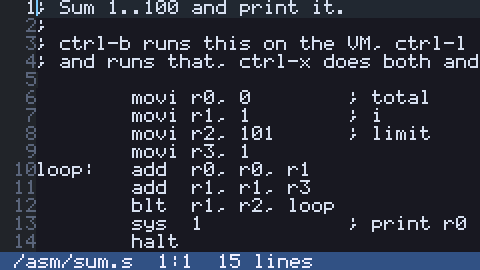
ctrl-b runs it on the VM, ctrl-l compiles it to machine code and runs that, ctrl-x does both and compares. It prints 5050.The numbers, because they are the whole game
512 KB of RAM. After the display is up, 322 KB free. A full-screen canvas would be 65 KB. WiFi costs 53 KB the moment it starts, Bluetooth 67, and TLS wants most of whatever is left when you open an HTTPS connection. With both radios up I have about 120 KB to play with.
So there is no framebuffer at all. Everything draws straight to the panel through one 480-byte row buffer, and nothing in the machine holds a picture of the screen. Every number above was wrong at least once during bring-up — the memory manager's arena was sized before either radio existed, and with both up it left 1,156 bytes and a WiFi driver failing in a loop — so the one rule I enforced without exception is: measure it on the device, and put the measurement in the commit message.
Even the screenshots are a trick
No framebuffer and a write-only panel means a screenshot is not something the device can do. Except every pixel already passes through one function on its way to the SPI bus. So a screenshot puts a tap on that function, forces a full repaint, and writes each row into a file on the SD card at the offset it would have had in a framebuffer. The card is the framebuffer. The PC turns the file into a PNG.
And because the serial line already turns every byte into a keystroke, a script on my PC opened every app, waited, sent the one byte that means "screenshot", and pressed Escape. Every picture on this page was taken that way, in four minutes, by a script. Then I opened them on the device, because the raw file happens to be exactly what the photo viewer reads.