Aug 25, 2026

Flight API + Acoustics + Roku + Cool Ranch Doritos

I live under the departure path for runway 27 at San Diego International. Planes climb out over Point Loma every couple of minutes, and the loud ones are loud enough to stop a conversation. I am always manually turning up the TV when a plane comes over. LET'S AUTOMATE THAT.
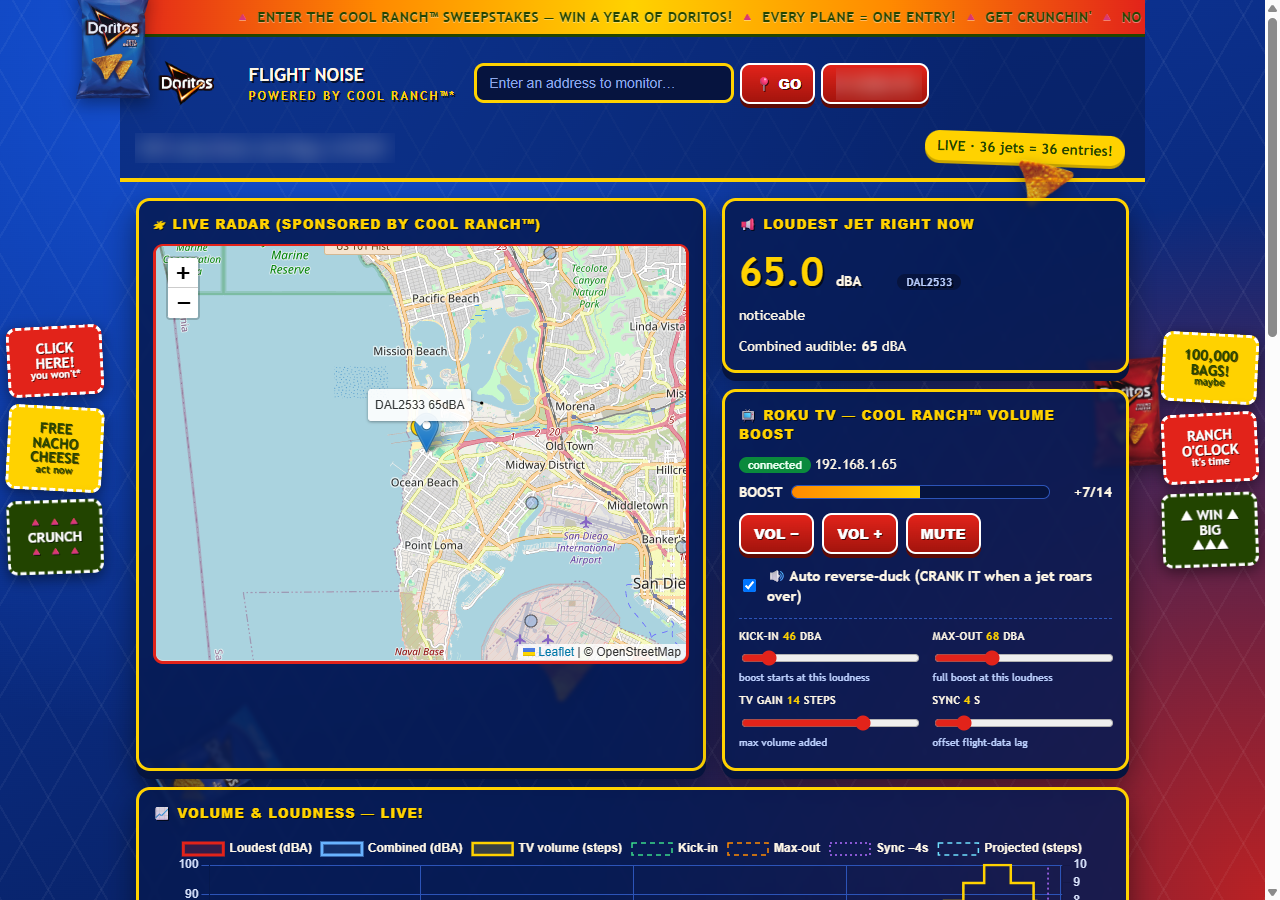
The Cool Ranch Flight Tracker dashboard: a map of Point Loma with a jet passing over, a "loudest jet right now" readout of 65 dBA, and the Roku volume controls
Fig. 1 — The Cool Ranch Flight Tracker, mid-departure. DAL2533 is over the house at 65 dBA and the TV is up 7 steps.

There's a free API for flight data: the OpenSky Network. By grabbing flight data, we can estimate when the plane will be coming overhead. Then, with some acoustic modelling and some manually input delays and tweaks, we can use Roku's API to tick up the TV volume on the same envelope as the plane's volume.
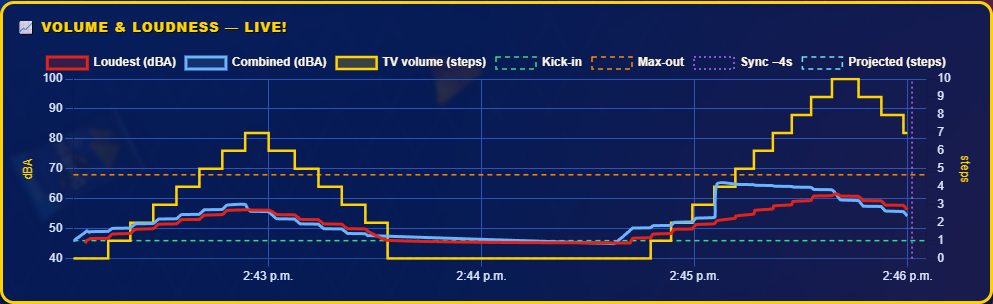
A live chart: estimated loudness in dBA (red and blue) with the TV volume in steps (yellow) stepping up and back down over it for two departures
Fig. 2 — Two departures, four minutes apart. Red is the loudest jet, blue is all of them combined, and yellow is the TV volume following the envelope up and back down. The green dashed line is where the boost kicks in.

IT WORKS REALLY WELL.

It was mostly a joke implementation, but once we saw how well it works, it has become a staple of our nighttime TV experience.

And since Claude designed the web page, a quick mention that it's sponsored by Doritos Cool Ranch gave the UI a unique feel. We call it the Cool Ranch Flight Tracker.
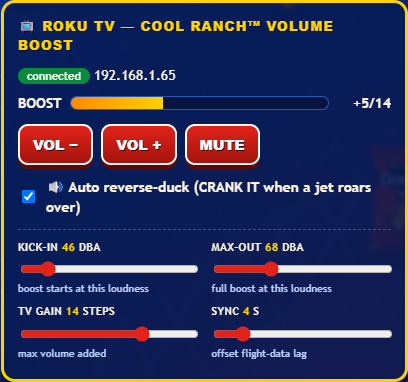
The Roku control card: a connected TV, a boost meter, volume buttons, and four sliders for kick-in, max-out, TV gain, and sync
Fig. 3 — The knobs. Kick-in and max-out are the loudness where the boost starts and tops out, TV gain is how many volume steps it's allowed, and sync offsets the flight-data lag.

Code was pretty dang easy with Claude. Adding in some manual knobs to turn let us tweak it exactly.

All writing